How do I create categories for my products and designs?
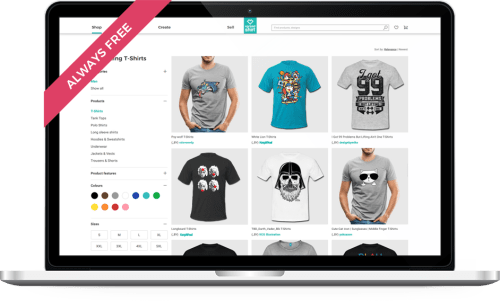
You can create categories for your classic Spreadshirt shop to organize products into groups with specific designs or themes. It is also possible to create design categories for your Spreadshirt Designer shops (premium partners only).
Creating Product categories for your classic Spreadshirt shop
Once you have products in your shop, follow the steps below to create your own categories and add products to those categories.
- Go to “My Account” and click on the Products Tab
- Select the Spreadshirt shop from the top navigation
- Click on ‘Your Categories’ and create the categories for the shop by naming and describing the categories.
To add products to your categories click on the Products tab and check the
boxes next to the products you would like to copy or move to a category. Then
go to the bottom of the page and select ‘Copy to a Category' or 'Move to a
Category’ from the drop down menu. A second drop down box will then appear
with a list of your categories in which to place the selected products.
To display the category drop down in your shop, you must select “Yes” for ‘Show Article Category Selection’ under Shops > Settings .
Creating Design categories for your Designer Spreadshirt Shop
The process for creating design categories is very similar to creating product categories for your Classic Spreadshirt shop.
- Click on the Design Tab in your user area.
- Select the Designer Shop from the navigation list at the top
- Click on “Your Categories” and create design categories
To add products to your categories, click on the Designs tab and check the boxes next to the designs which you would like to copy to one of your categories. Then go to the bottom of the page and select “Copy to a category” from the drop down menu. A second drop down box will then appear with a list of your categories in which to place the selected design(s).
Once the categories are filled with designs, then they will appear in the ‘Design’ tab of your Spreadshirt Designer Shop. For more Designer shop information, check out this FAQ
Articles in this category
- How do I create categories for my products and designs?
- How do I earn money with Spreadshirt?
- Is it possible to change products that have already been designed in my shop?
- What advantages do I receive as a Premium member?
- What are the advantages of a Designer Shop and what do I need to know?
- What do I have to consider when using designs from the Design Gallery in my shop?
- What is a Spreadshirt shop and how can I earn money with it?
- What is the Assistant?
- What is the Design Gallery?
- Which improvements does the new T-Shirt Designer (version 7) offer?